Visitor Management System
Some places get guests every day – people like customers, suppliers, workers from outside, those applying for jobs, or company allies. Because of safety needs, legal rules, plus how others see the place, handling them well really matters. Old-style sign-in sheets made of paper? They’ve been around forever. Yet they tend to slow things down, open up risks, and come with sketchy data.
Right away, guests see changes when stepping into a space that uses visitor management system. As entry begins, sign-in steps shift from paper logs to screens without delays. One tap confirms identity, another sends alerts to hosts instantly. Badges form on printers nearby, no waiting. Movement through buildings gets logged quietly behind the scenes. Safety climbs as details stay updated in real time. People feel welcomed, yet spaces remain under watch. Efficiency grows, noise drops, corners get covered When businesses understand the workflow behind a visitor management system, they are better positioned to recognize its benefits and implement it with confidence.
What Is a Visitor Management System?
Starting at the entrance, a digital visitor management system tracks every guest who walks into an office or building. Instead of paper logs, software takes charge – streamlining check-ins while cutting errors. Efficiency climbs when forms fill themselves through smart workflows. Security gets stronger because alerts go out instantly if something seems off. Records stay neat, stored without clutter or lost sheets. Each entry locks into place automatically, leaving nothing to chance.
From schools to hospitals, companies keep track of who comes and goes by using tracking tools. These setups help manage entry while logging each visit properly. Government sites rely on them just like office buildings do. Even large stores apply similar methods to watch over their spaces.
Step 1: Pre-Registration Before Arrival
The visitor journey often begins before the individual reaches the facility. Many organizations allow employees to pre-register expected guests through the visitor management system.
During pre-registration, the host enters details such as:
Visitor name
Company name
Contact information
Purpose of visit
Date and time of appointment
Later on, you might get an email without doing anything. It shows when to come, where to go, how to park, along with a scan code for quicker entry.
Step 2: Visitor Arrival at Reception
Right away, once someone shows up, signing in kicks off. Skipping the old-style paper log, people tap screens – kiosk, tablet, or front desk tool – linked straight into the visitor management system
Visitors can:
Enter personal information
Select the employee they are meeting
Confirm appointment details
Accept visitor policies and agreements
Minutes often cover the switch online, cutting lines while lightening tasks at front desks. A faster flow follows when screens handle sign-ins instead of paper trails slowing things down.From step one, it tells visitors they’re in capable hands.
Step 3: Identity Verification
One thing that pushes companies toward visitor management system is safety. Once someone signs in, checks on who they really are might follow through different ways.
Common verification options include:
Emirates ID scanning
Passport scanning
Driver’s license verification
QR code validation
Photo capture
Who gets through the door depends on confirming who they say they are. When something needs checking later, there is a clear record waiting.
Step 4: Visitor Badge Generation
Once verification is complete, the system can automatically generate a visitor badge.
The badge may contain:
Visitor name
Company name
Host information
Visit date
QR code or barcode
Access permissions
The ability to print badges instantly is one of the features that makes a visitor management system far more effective than traditional registration methods.
Step 5: Host Notification
After successful check-in, the system immediately alerts the host about the visitor’s arrival.
Notifications can be sent through:
Email
SMS
Mobile applications
Internal communication platforms
Without any calls or handwritten notes, workers stay informed automatically instead of waiting on front desk updates.When hosts get updates right away, plans run smoother because timing stays on track.
Step 6: Visitor Access Control
After the host gets word, entry to certain parts of the building might be needed by guests.Entry rules now link up with digital locks through updated tools. These solutions regulate entry by integrating directly with checkpoint gates and access points.
Access checks happen easily when systems join forces behind the scenes. Permissions shift automatically once networks connect securely.Access can be granted based on:
Visitor category
Meeting location
Security clearance
Visit duration
The integration capabilities of a visitor management system help organizations maintain strict security standards while ensuring visitors can move through authorized areas efficiently.
Step 7: Monitoring During the Visit
Visitor management does not end after check-in. Organizations need visibility into who is currently on-site at any given moment.
Real-time monitoring capabilities allow security teams and administrators to:
Track visitor locations
View active visitor lists
Monitor access history
Generate occupancy reports
From here, responses move faster because systems work smarter. When things go wrong, readiness comes easier.
Take a fire drill. Staff might need to spot every guest on site right away, so nobody gets left behind when moving out.
This ongoing visibility is one of the key advantages of implementing a visitor management system.
Step 8: Managing Contractors and Repeat Visitors
Many facilities receive recurring visitors such as contractors, suppliers, consultants, and maintenance personnel.
The system can store visitor profiles for future visits, making repeat registrations much faster.
Benefits include:
Reduced check-in time
Consistent visitor records
Faster identity verification
Improved operational efficiency
For organizations dealing with a steady flow of visitors, a visitor management system ensures repeat check-ins are handled smoothly without ever sacrificing security.
Step 9: Visitor Check-Out Process
The final stage of the workflow occurs when the visitor leaves the premises.
Visitors can check out using:
Self-service kiosks
Reception desk terminals
Mobile applications
QR code scanning
The system records the departure time and updates visitor status automatically.
Maintaining accurate exit records is important for:
Security audits
Compliance requirements
Emergency management
Visitor analytics
An automated check-out process ensures that visitor records remain accurate and up to date.
Step 10: Reporting and Analytics
Beyond daily operations, organizations can use data collected by the visitor management system to gain valuable insights.
Reports may include:
Visitor volume trends
Peak visiting hours
Frequently visited departments
Average visit duration
Security compliance records
These analytics help organizations make informed decisions regarding staffing, facility management, and security planning.
Data-driven insights also support continuous improvement efforts and help businesses optimize visitor experiences.
Benefits of a Digital Visitor Workflow
A structured visitor workflow delivers significant advantages over traditional manual processes.
Enhanced Security
Starting things off, confirming who people are helps keep workplaces secure. Badges made on site add another layer of trust for those coming in. What happens next is controlled entry points make spaces feel more protected.
Improved Efficiency
Processing visitors gets quicker when sign-ins happen automatically. Paper trails shrink thanks to system-driven check-ins.
Better Visitor Experience
Guests notice when arrivals go smoothly, especially if staff respond with clear, calm replies.
Accurate Records
Digital logs eliminate illegible handwriting and incomplete information.
Compliance Support
Keeping track of who comes and goes helps companies meet rules others set. Records stay ready when inspectors show up needing proof.
Real-Time Visibility
Folks running the place can tell right away who’s inside. They never guess about attendance – names match faces each day. Anyone entering shows up clearly on their list. Keeping track happens without delay or confusion.
The Future of Visitor Management
Faster check-ins now shape how guests enter offices. Tech that tracks arrivals adapts without warning. Systems swap old paper logs for live updates. Smarter tools reshape entryways silently.
Emerging trends include:
AI-powered visitor screening
Contactless check-in processes
Mobile visitor credentials
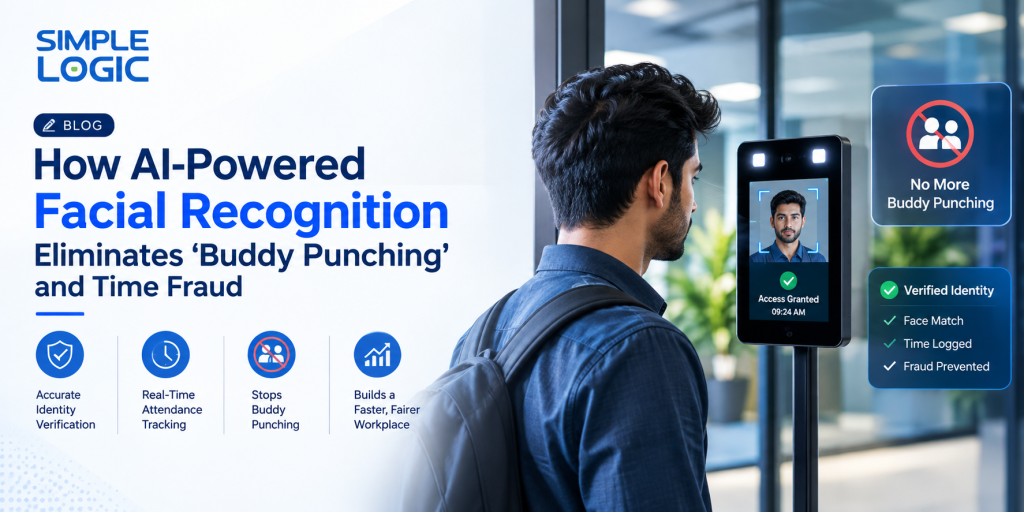
Facial recognition technology
Cloud-based management platforms
Advanced analytics and reporting
Organizations seeking to improve security and operational efficiency are embracing these innovations to create smarter visitor experiences.
Conclusion
Starting strong, a thoughtfully built visitor process keeps things secure, smooth, running right. Not just about signing in – checking who people are, managing where they go, then tracking their exit – all links together into something that just works.
A fresh approach to tracking visitors changes how groups welcome people – by streamlining chores once done by hand, offering clearer oversight, yet tightening safety steps. Firms using Simple Logic IT’s software find it easier to cope with growing numbers of guests even as they keep spaces secure and open.